Sourcing open-frame monitors from China
Open-frame industrial monitors from China carry UK duty of 0% to 14%, depending on their classification. Computer-designed monitors carry 0%. Confirm with the relevant authority whether the model is excluded from the display ecodesign rules, and document the basis before relying on any exclusion. Cambridge China Bridge sources open-frame industrial monitors.
Computer design determines the monitor duty
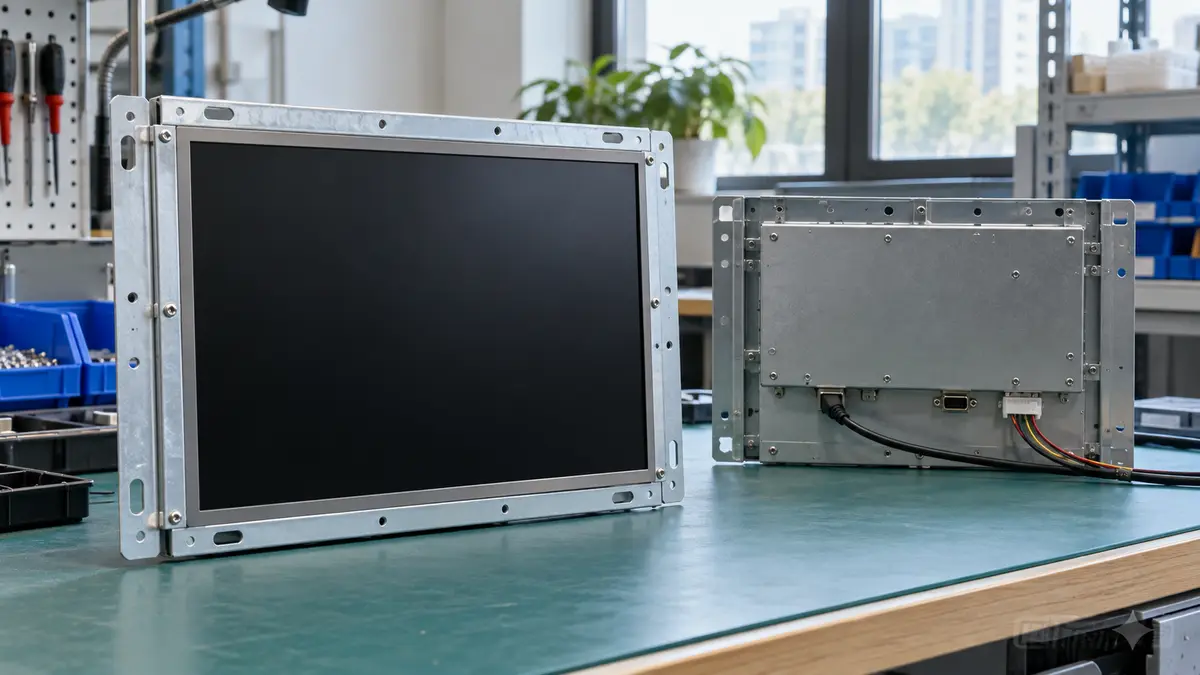
Heading 8528 covers monitors and projectors without television reception apparatus, and television reception equipment. This guide concerns open-frame industrial monitors supplied for mounting inside equipment or enclosures. The table lists candidate monitor codes, rather than treating an exposed frame as a separate tariff category.
Read from the UK Trade Tariff on 1 October 2026, monitors capable of directly connecting to and designed for use with computers carried 0% duty from China. Other monitors under 8528 59 00 90 carried 14%. The selected lines record no anti-dumping or countervailing duty, suspension or attached import control. Specialised vehicle display suspensions elsewhere in the heading do not establish relief for ordinary industrial monitors.
Confirm the commodity code using the model's intended use, display technology, inputs and technical documentation. A computer connector alone does not establish that the monitor is designed for computer use. See the wider monitors, projectors and digital signage guide. Zero duty does not remove import VAT; see UK import duty and VAT. For video wall applications, see our video wall monitor sourcing guide.
| Goods | Commodity code | Duty | Anti-dumping or countervailing duty on China |
|---|---|---|---|
| Monitors solely or principally used with computer systems | 8528 52 10 00 | 0% | None |
| Other LCD monitors designed to connect directly to computers | 8528 52 91 00 | 0% | None |
| Other non-LCD monitors designed to connect directly to computers | 8528 52 99 00 | 0% | None |
| Other monitors outside the computer-designed categories | 8528 59 00 90 | 14% | None |
Specify the frame, touch system and enclosure
Specify the panel maker and grade, resolution, brightness, viewing direction and pixel defect policy. Approve a dimensioned drawing showing the panel opening, frame depth, mounting holes, fixing method and connector clearance. State whether the order includes a touch controller, protective glass, cables and power supply. Test the sample in the actual mounting arrangement.
State the host computer, operating system, video interface, touch connection, power input and restart behaviour. Test touch operation with the intended gloves and cover glass. For Great Britain, confirm applicable electrical safety requirements for the monitor and supplied power supply. Electromagnetic compatibility rules cover equipment liable to generate electromagnetic disturbance, subject to exceptions. Request model-specific safety, electromagnetic compatibility and hazardous-substance evidence.
Confirm with the relevant authority whether industrial displays or displays supplied as components or sub-assemblies are excluded from the display ecodesign rules for this model. Document the basis for any exclusion for this model. An open frame is a construction detail, so ask a compliance adviser to assess the intended supply and use before relying on an exclusion. Confirm with the relevant authority whether waste electrical and electronic equipment obligations apply to the display.
Worked duty example
Illustrative example, not a quote: 27 open-frame industrial monitors, illustrative order under 8528 52 91 00, invoiced at £8,000 free on board, with £1,200 of freight and insurance to the UK. The customs value is £9,200. Duty at 0% is £0. Import VAT at 20% is charged on the customs value plus duty, £9,200, so it is £1,840. With no duty, the only import tax is the VAT, which a VAT-registered importer can usually reclaim. The import duty and VAT guide explains each step.
Inspection checklist
Frame and fit: compare arriving units with the approved drawing and sample enclosure. Check hole positions, flatness, sharp edges, connector access and protection for exposed circuit boards.
Panel and touch: display solid colours and dark images to check pixel faults, uniformity and backlight bleed. Test touch accuracy across the screen, including corners, using the agreed glass and gloves.
Power and heat: run the monitor inside the intended enclosure with its supplied power supply. Check signal recovery after power interruption, touch reconnection and heat around the controller and backlight.
Documents and packing: match reports and declarations to the shipped model and power supply. For equipment in scope of hazardous-substance restrictions, the importer must check manufacturer details and conformity marking before sale. Check frame support and screen protection in the cartons. Arrange quality inspection before dispatch.
Working out your own order? Send us the product on WhatsApp and we reply the same working day: WhatsApp us
What goes wrong
A sample can work on a bench yet fail after mounting. The enclosure traps heat, fixings distort the frame, cover glass changes touch response or the installed computer fails to restore the signal after restarting. Panel substitutions can change brightness, viewing angles and pixel quality. Test the assembled installation and agree written acceptance checks before production.
Arrival damage often shows as bent mounting tabs, scratched glass or loose connectors. Keep the approved panel and controller identities in the purchase specification, compare arriving units with the retained sample, and record discrepancies before installation. Recheck classification and compliance evidence whenever the factory changes the controller, power supply or interfaces.
Cambridge China Bridge sources these products for UK businesses, checking the factory and the documents before shipment. See factory verification. For components and parts, see sourcing for manufacturers.
Frequently asked questions
What is the UK import duty on open-frame industrial monitors from China?
The selected monitor lines carry 0% for monitors capable of directly connecting to and designed for computers, or 14% for other monitors. No trade remedies are recorded on those lines.
Are open-frame industrial monitors exempt from display ecodesign rules?
Confirm with the relevant authority whether the actual model qualifies for an exclusion from the display ecodesign rules as an industrial display or a component or sub-assembly display. Document the basis for any exclusion; ask a compliance adviser to assess its intended supply and use.
What should I send the factory before ordering?
Send the mounting drawing, enclosure details, panel specification, host computer details, power requirements and touch-use conditions. Agree a pixel policy and approve the assembled sample.
How do I check an open-frame monitor on arrival?
Check frame dimensions and mounting tabs, inspect the powered panel, test touch accuracy and reconnect behaviour, and run it inside the intended enclosure. Match the model and power supply to the approved documents.